
Understanding Your Standard Show Page
Learn what visitors see on your public Show Manager page and where they go to enter shows or view results.
About 3 minutes · Reviewed for EZSM 5.2.537Blue Ribbon pages include additional layout and page-building options and are covered separately.
Your public show page at a glance
Your standard page gives exhibitors one public location for finding your available shows and reviewing results. Open it from My Dashboard → Show Manager → View My Page.
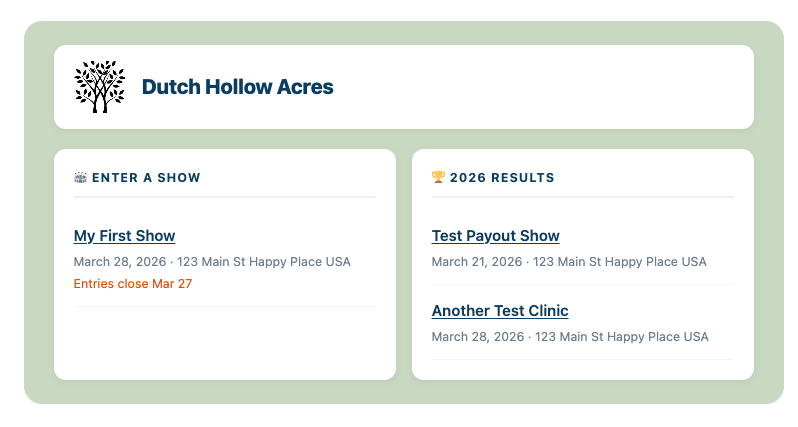
Organization header
The top card displays the logo and organization name saved under Show Manager → Settings → Organization. The color surrounding the page content comes from your Page Background setting.
Enter a Show
The Enter a Show section lists shows currently available to exhibitors. Each listing can display:
- The show name, linked to its entry form
- The show date
- The show location
- Entry opening and closing dates, when configured
If no shows are currently listed for entry, visitors see a brief “No shows listed right now” message.
Results
The Results section displays published results for the year shown in its heading. Selecting a show or clinic opens its public results page. Each listing includes the event name and can also display its date and location.
If no results are available for the current year, the page displays a short empty-state message instead.
Share your page
Your public URL is the address chosen during Show Manager setup. You can share that single link with exhibitors so they can return for both entries and results.