
What Is Blue Ribbon and How Do You Get It?
Blue Ribbon is a free upgrade for Show Managers who want a more customizable public home page for their club, organization, or event series.
About 4 minutes · Reviewed for EZSM 5.2.537What is Blue Ribbon?
A standard Show Manager page gives customers a straightforward place to find open shows and past results. Blue Ribbon keeps the same EZ Show Manager show, entry, secretary, and payout tools while giving you more control over how that public page looks and what it displays.
It is designed for clubs and organizations that want their EZ Show Manager page to feel more like a branded website instead of only a list of shows.
You must activate Show Manager first, but there is no additional charge to upgrade the account to Blue Ribbon.
What Blue Ribbon adds
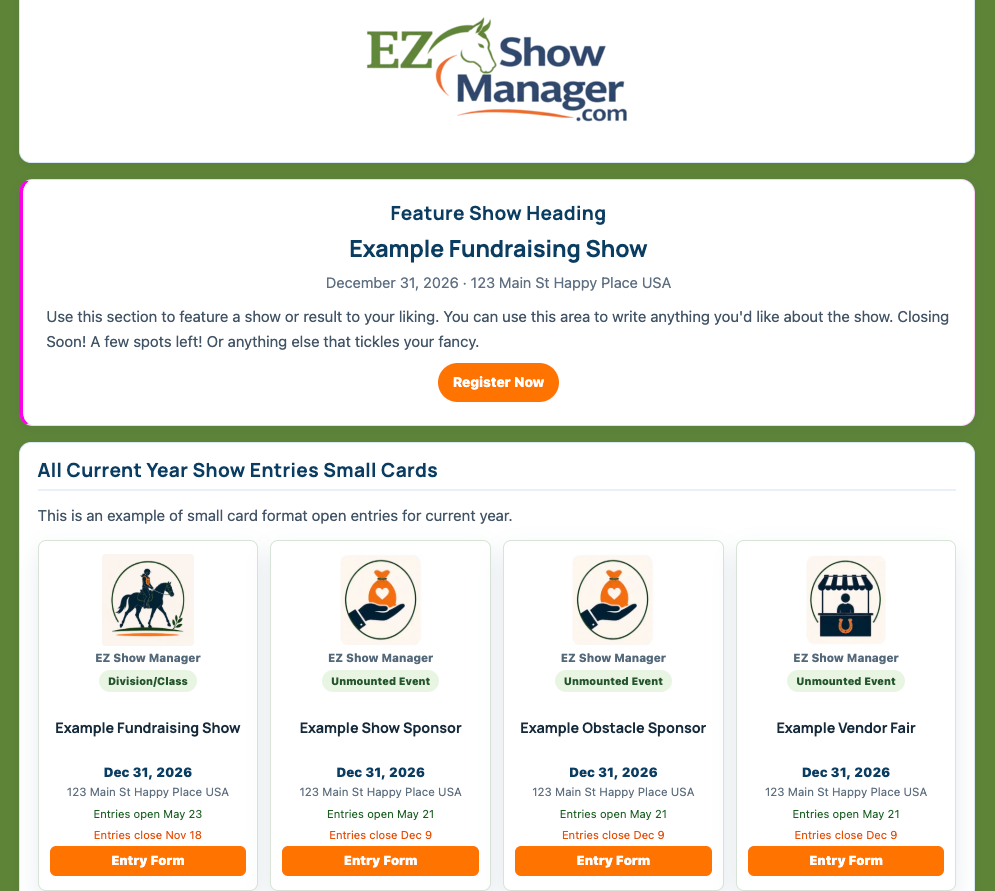
Blue Ribbon unlocks the Page Builder for your public organization page. You can:
- Add your organization logo and a banner image.
- Choose page background, accent, heading, and button colors.
- Add, arrange, and edit up to 10 public page sections.
- Create content sections with headings, text, and images.
- Display upcoming entry opportunities and completed results as lists or show cards.
- Feature an individual show or choose specific shows for a custom group of cards.
- Add a custom image or choose an EZ Show Manager icon for show-card thumbnails.
Your public page continues to update from the shows and results you manage in EZ Show Manager.
How to get Blue Ribbon
Blue Ribbon is a self-service account upgrade. Show Managers can activate it whenever they are ready; no application or approval is required.
- Sign in and open My Dashboard.
- Go to Home.
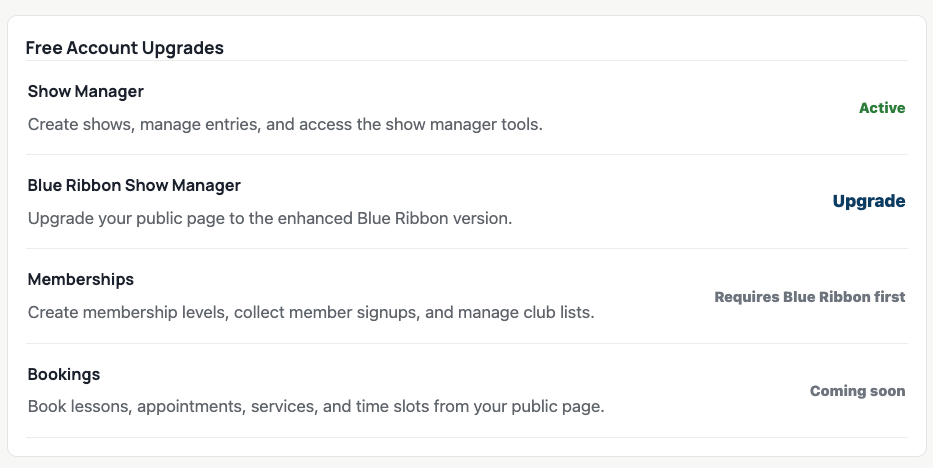
- Scroll to Free Account Upgrades.
- If Show Manager is not active, select Upgrade beside Show Manager first.
- Select Upgrade beside Blue Ribbon Show Manager.
When the upgrade is complete, Blue Ribbon Show Manager displays as Active and the Blue Ribbon tools become available in your dashboard.
Start building your page
- Open the Show Manager Dashboard.
- Select Page Builder.
- Set your logo, public Page URL, banner, colors, and layouts.
- Add the sections you want visitors to see.
- Select Save Page Builder.
- Open your public page and review it on both a computer and a phone.
You can return to Page Builder whenever you want to change the design or rearrange the page.
What does not change
Upgrading does not require you to rebuild your account or learn a different show-management process. You still create shows, review entries, use Secretary Office tools, post results, and request payouts through the same EZ Show Manager dashboards.
Blue Ribbon expands the presentation and organization tools around that existing workflow.
Optional tools after upgrading
After Blue Ribbon is active, additional features such as Memberships may be enabled from Free Account Upgrades. Membership setup and member management are separate from the basic Blue Ribbon page upgrade and will be covered in their own Help articles.