
Connecting Stripe for Payments
To collect entry fees and receive payouts, you must connect a Stripe account.
Stripe is the payment processor that securely handles all transactions for your shows and clinics.
Why Stripe is Required
👉 This is what enables EZ Show Manager to pay you your entry fees
How to Connect Stripe
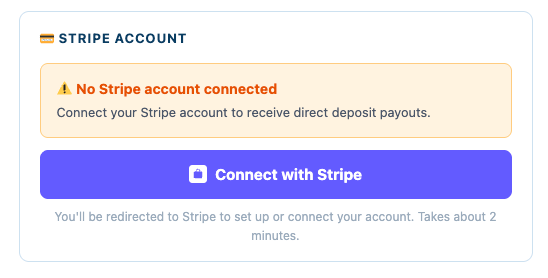
- From your setup screen or dashboard, click Connect with Stripe
- You will be redirected to Stripe
If You Already Have a Stripe Account:
- Log in using your existing credentials
If You Do Not Have a Stripe Account:
- Follow the guided setup process
- Enter your business and banking information
- Stripe will verify your account
What You’ll Need
Stripe may ask for:
- Name and contact information
- Business or organization details
- Bank account for deposits
- Tax information (if required)
Once Connected
After completing setup:
- You will be redirected back to EZ Show Manager
- Your account is now ready to accept payments
- You can begin creating shows and collecting entries
Important Notes
- You must connect Stripe before accepting online payments
- Payout timing is controlled by Stripe, not EZ Show Manager
- Delays may occur based on Stripe processing or verification
Common Questions
“Can I create a show without Stripe?”
No – You will not be able to create shows until a stripe account has been connected
“Where does the money go?”
EZ Show manager does all the heavy lifting of the shows you create we process all of your entries. When your show ends you choose to archive and payout and EZ Show Manager will initiate a payout to your account for all of the fees you have collected for the snow minus any credit card fees and the small EZ Show Manager fee that was added to the order separately.