
Customizable Public Pages for Horse Clubs and Organizations
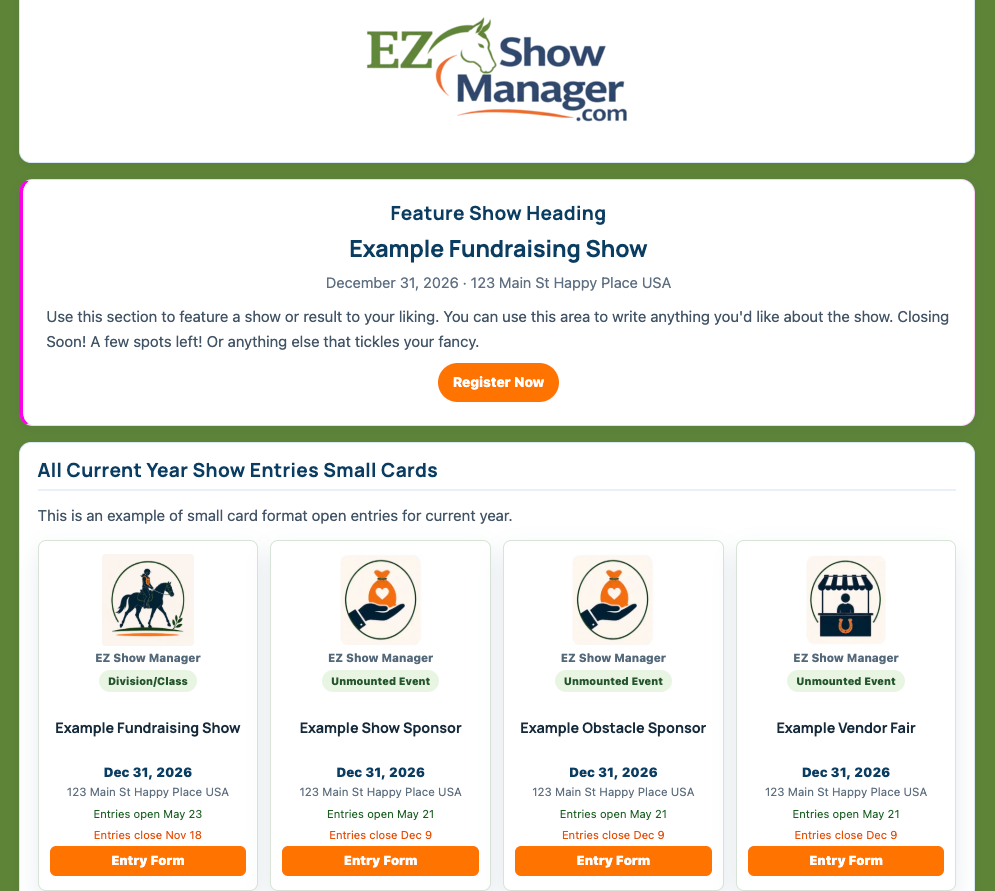
Blue Ribbon Upgrades allow approved accounts to create fully customized public-facing pages for their organization, club, or event series.
These pages provide a more professional branded experience beyond the standard EZ Show Manager layout.
An example can be viewed here:
👉 https://ezshowmanager.com/ezsm
What Custom Public Pages Include
Depending on your setup, customizable pages may include:
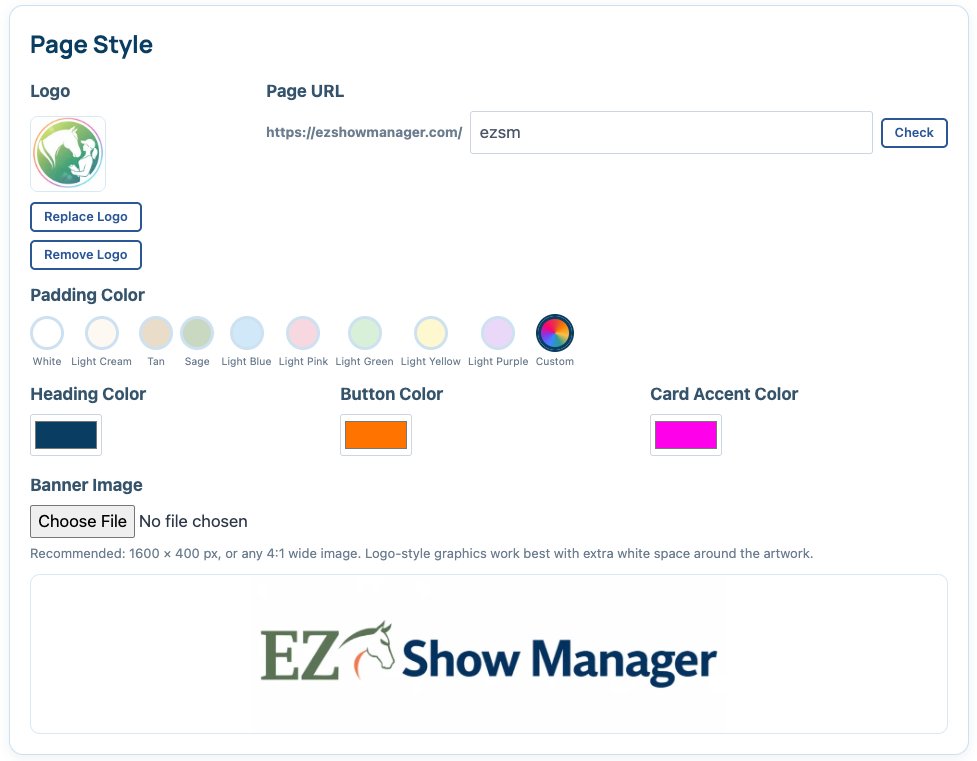
- Custom banners and branding
- Organization colors and styling
- Featured upcoming events
- Custom icons and graphics
- Sponsor highlights
- Membership integration
- Important announcements or links
Custom Content Blocks
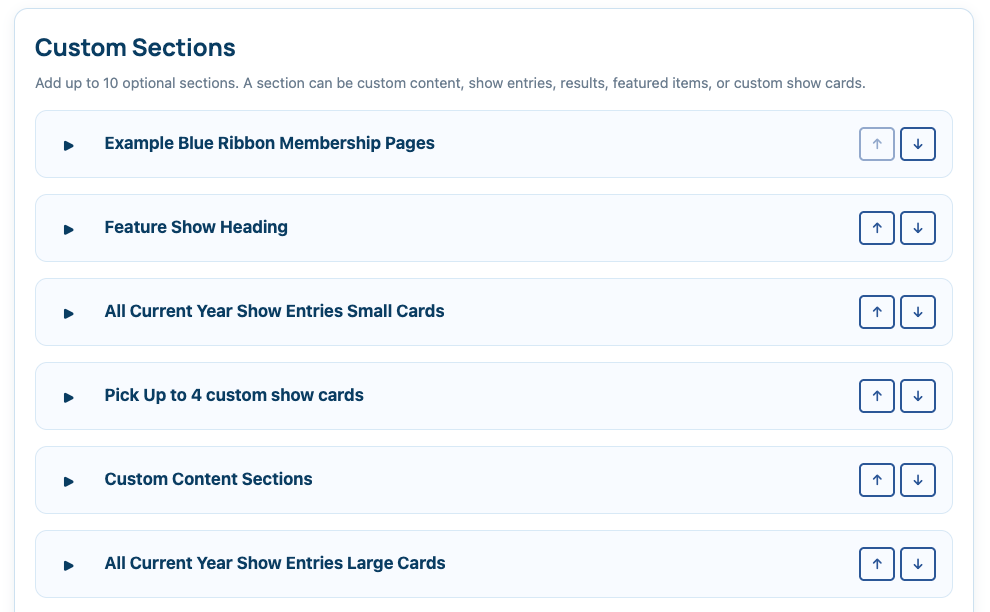
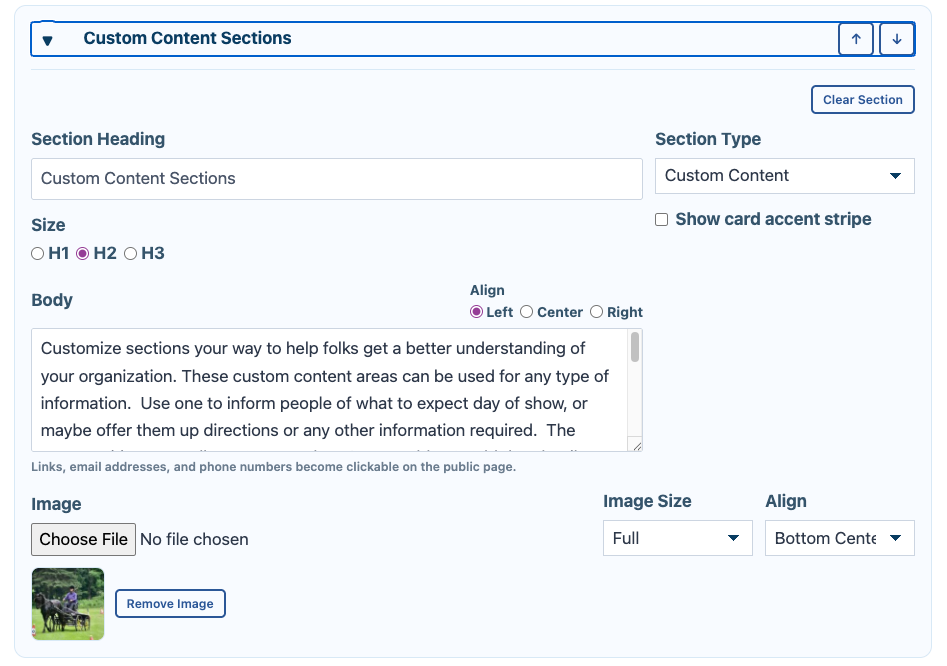
Each custom page includes up to 10 customizable content blocks.
These blocks can be configured with different layouts and features such as:
- Information cards
- Event lists
- Sponsor sections
- Buttons and quick links
- Announcements
- Membership information
- Featured content areas
👉 This allows each organization to create a page tailored to their specific needs and branding.
Why Use a Custom Public Page
Custom pages help create a more polished and recognizable experience for your exhibitors and members.
Benefits include:
- Stronger organization branding
- Easier navigation for recurring exhibitors
- Centralized location for events and results
- More professional presentation for sponsors and clubs
Included Features
Blue Ribbon public pages may also support:
- Club or organization membership tools
- Enhanced event listings
- Featured sponsor sections
- Expanded customization options
Available features may vary depending on your account configuration.
Availability
Custom Public Pages are currently available by invite only to approved:
- Non-profit clubs
- Organizations
If you are interested in participating in the Blue Ribbon Upgrade program, please contact:
Support
Current users may submit a Support Ticket through their dashboard.
General inquiries can also be sent to: