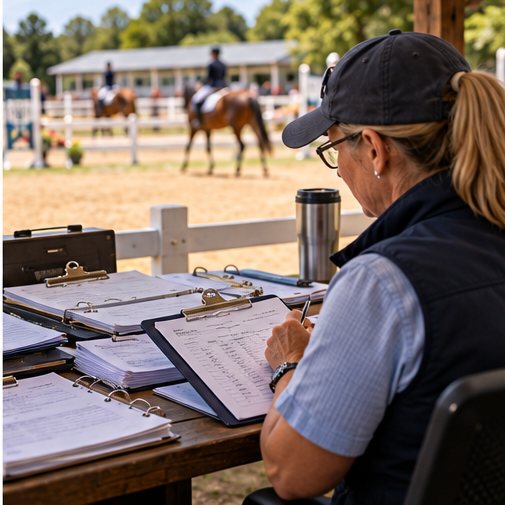
How to Prepare Horse Show Class Lists Without Re-Entering Every Entry
Class lists look simple until entries change. A secretary may have one list on a laptop, a steward may have yesterday's printout, and the announcer may have a handwritten scratch. The goal is not merely to print a list. It is to give everyone the same current view of who belongs in each class.
Decide what each person needs
A ring steward may need the class number, horse and rider, exhibitor number, and order of go. A judge's sheet may need space for a score or placing. A public schedule may need less detail. Make separate views when the audience differs; avoid publishing contact details or document status just because those fields exist in the entry record.
For a small schooling show, start with a sample class and ask the ring crew whether it answers three questions: Who is expected? Who has scratched? What changed since this copy was prepared?
Build from the entry record
When entries come in through email, paper, or a generic form, someone often retypes horse, rider, and class choices into a spreadsheet. Every copy is another opportunity for a spelling error or a missed class. If your system can build class lists from the original entries, check that edits to an entry flow through to the lists the office uses.
Before show day, scan for duplicate entries, incorrect class selections, missing numbers, and any rule that affects eligibility. Confirm the class order and any divisions that split a class. Print or save the final pre-show version as a fallback, but mark its time so no one mistakes it for a live list.
Give changes one route to the ring
Write down how a class addition, scratch, or horse substitution is approved and communicated. For example:
- The secretary updates the entry and fee status.
- The class list is refreshed or a new copy is printed.
- The ring steward acknowledges the change.
- The announcer and scorer use the same updated number and horse/rider details.
If the venue has weak internet, assign a runner or radio contact for changes. A connected system helps, but it cannot replace a clear human handoff when someone is working from paper.
Check after the first class
The first completed class is a useful rehearsal. Compare the ring's participants with the office list, then see whether results can be entered against those same records. If the office must re-create horse and rider details to publish results, the class list workflow has another gap to solve.
EZ Show Manager connects online entries to secretary and class organization tools. Test that connection with a realistic scratch and class addition before your event opens.
Ready to build your next show from one set of entries? Start free with EZ Show Manager.