
Search
Creating a Ridden Dressage Show
EZ Show Manager supports USEF/USDF Dressage Tests with a structured test-based entry system.
Step 1: Start a New Show
- Click Create New Show
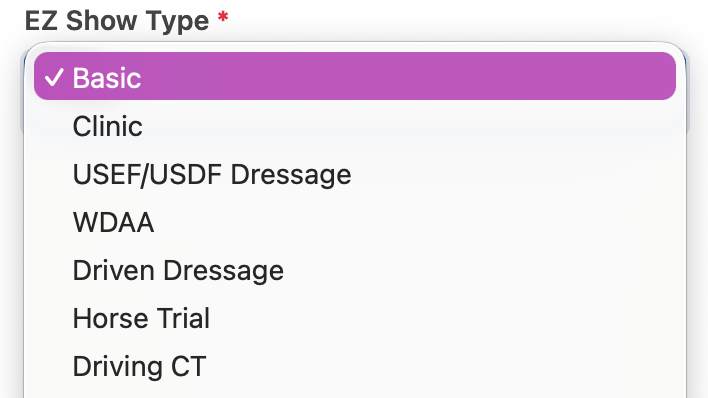
- Select the USEF/USDF Dressage or WDAA show type
Step 2: Enter Show Details
Setup is similar to other show types:
- Show Name
- Dates
- Location
- Entry Settings
👉 No special configuration needed here
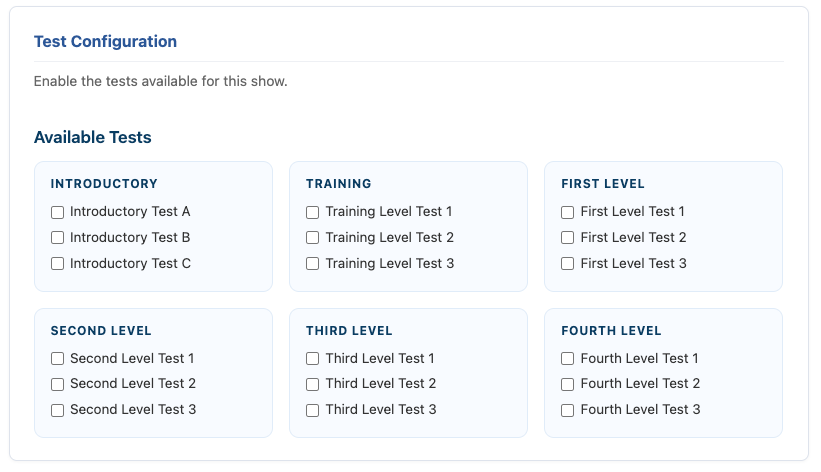
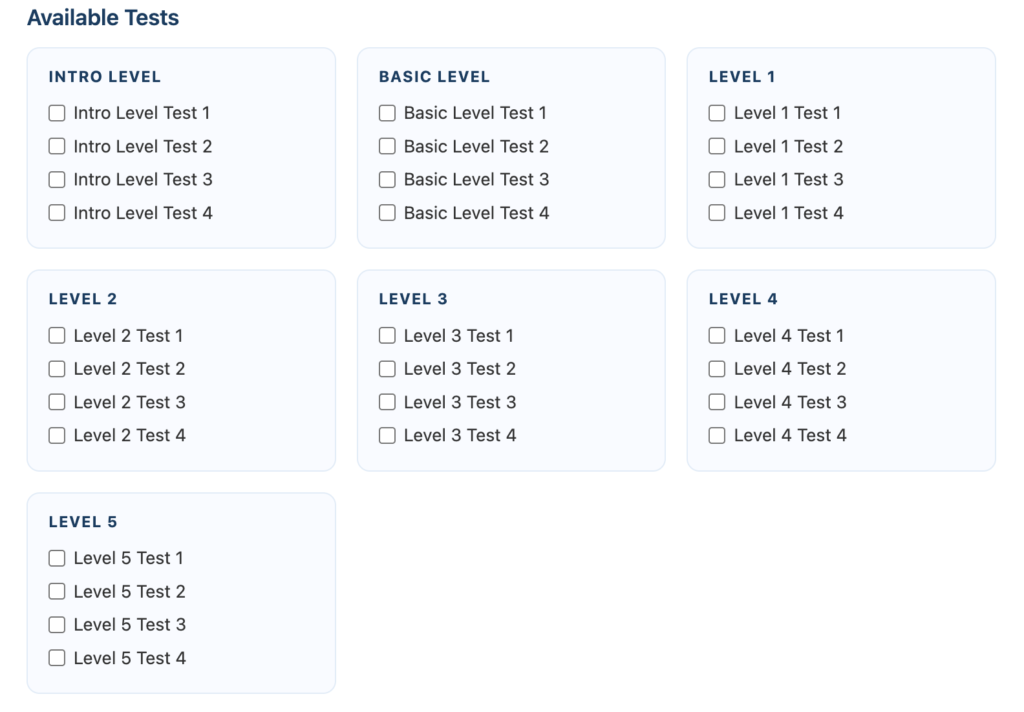
Step 3: Select Available Tests
This is the key difference for Dressage shows.
You will choose which tests are available for entries.
Test Levels Include:
- USDF – Intro to Level 4
- WDAA – Intro to Level 5
👉 Only selected tests will be available for exhibitors to enter
Step 4: Entry Structure
Entries are handled differently than standard shows:
👉 Entries are charged per test
- Each entry = one test
- Pricing is applied per test
Important Rule
👉 Entries can only select ONE test per order
- If an exhibitor wants to enter multiple tests
- They must submit separate entries
Step 5: Add-Ons & Secretary
- Add-ons work the same as other shows
- Secretary assignment works the same
Step 6: Create Your Show
Click Create Show
⚠️ Once entries go live, settings are locked
What This Means
- Clean, structured test selection
- Simplified entry process
- Accurate per-test pricing
- No confusion with multiple test selections