
Search
Using the Pace FX Button (Driving CT/ Pleasure Drive Pace)
The FX button allows you to calculate a Pace score based on ADS Pleasure Drive Pace rules.
👉 This tool is optional and only used if your event includes a Pace phase
Before You Start
Have the following ready:
- Optimum Time (set for the class)
- Time On Course
- Any Miscellaneous Penalties
How to Use the FX Button
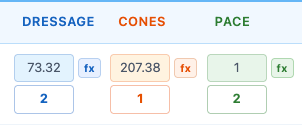
- Click the fx button next to the Pace score field
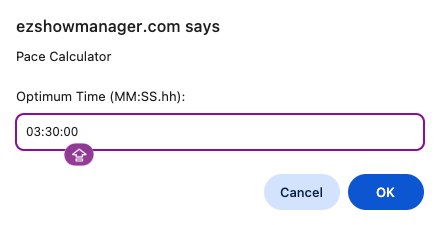
Step 1: Enter Optimum Time
👉 Enter the Optimum Time
- Pre-determined for the class
- Format: MM:SS.hh
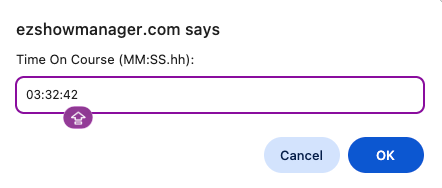
Step 2: Enter Time On Course
👉 Enter the competitor’s actual time
- Taken from your timing records
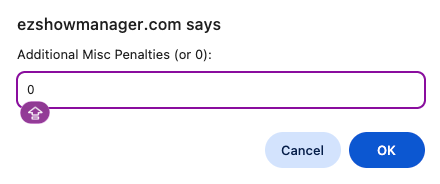
Step 3: Enter Misc Penalties
👉 Enter any Additional Misc Penalties
- Or enter 0 if none
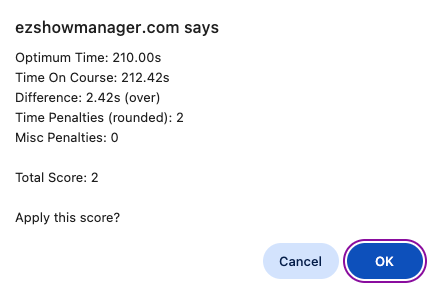
Step 4: Confirm Score
The system will display:
- Time On Course
- Time Difference
- Time Penalties (rounded)
- Misc Penalties
- Total Score
👉 Click OK to apply the score
How the Score is Calculated
The FX button uses the standard Pace formula:
- Time Difference = |Time On Course − Optimum Time|
- Time Penalties = rounded Time Difference
Pace Score = Time Penalties + Additional Misc Penalties
👉 Lower score = better result
Ties (ADS Rule)
Pace phases can commonly result in ties.
👉 According to ADS rules:
- The judge determines the winner
- Based on the horse/turnout most suitable for a pleasant drive
Optional Phase
Pace is not required for Driving Combined Trials.
👉 You may choose to:
- Use Dressage + Cones only
- Skip Pace entirely
Final calculations will still work correctly without it
Manual Override
- You can edit scores at any time
- FX calculations are optional
Why Use the FX Button
- Matches ADS scoring rules
- Eliminates manual math
- Handles rounding automatically
- Keeps scoring consistent