
Search
Using the Cones FX Button (Driving CT)
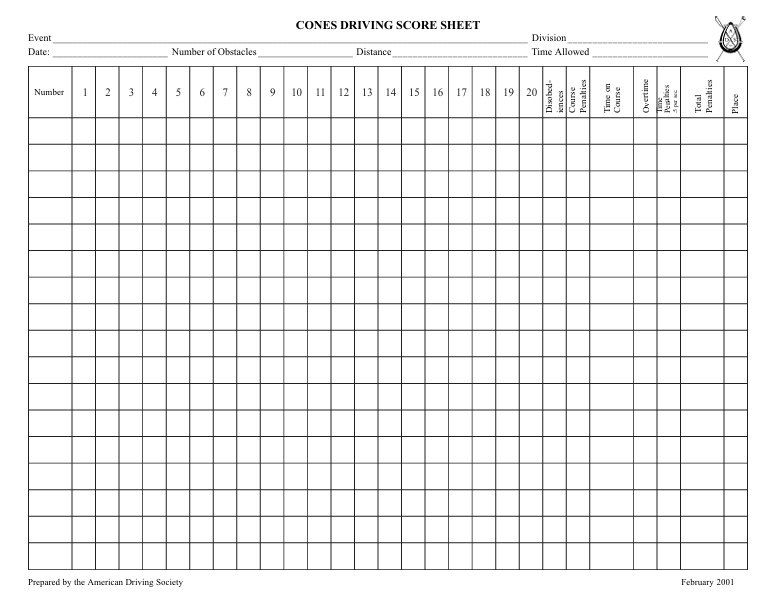
The FX button allows you to quickly calculate a Cones score using the same values recorded on the ADS Cones Driving Score Sheet.
👉 This is designed to match exactly what you are already writing down — just without the math
Before You Start
Have your Cones score sheet ready.
You will be pulling values directly from it, including:
- Time Allowed
- Time On Course
- Disobediences
- Course Penalties
How to Use the FX Button
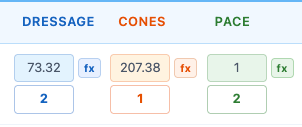
- Click the fx button next to the Cones score field
Step 1: Enter Time Allowed
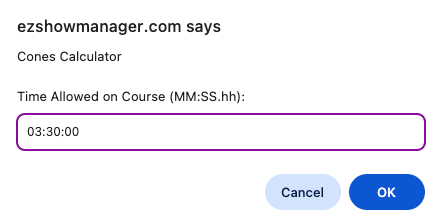
👉 Enter the Time Allowed on Course
- Found at the top of your score sheet
- Format: MM:SS.hh
Step 2: Enter Time On Course
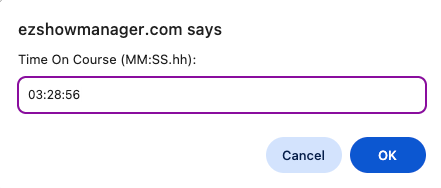
👉 Enter the competitor’s actual time on course
- Taken directly from the score sheet
Step 3: Enter Disobediences
👉 Enter total Disobedience penalties
- Use whole numbers (e.g., 0, 3, 5, 10)
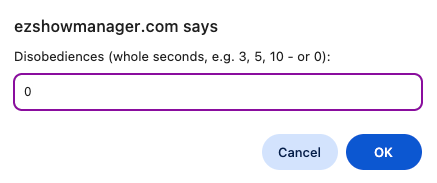
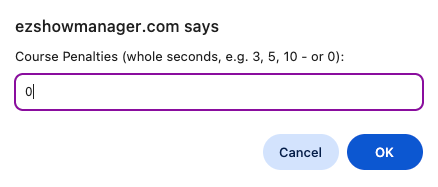
Step 4: Enter Course Penalties
👉 Enter total Course Penalties
- Includes knockdowns or other faults
- Use whole numbers (e.g., 0, 3, 5, 10)
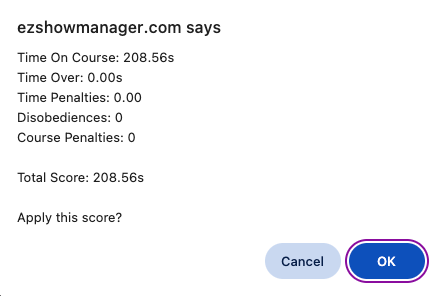
Step 5: Confirm Score
The system will display:
- Time On Course
- Time Over
- Time Penalties
- Disobediences
- Course Penalties
- Total Score
👉 Click OK to apply the score
How the Score is Calculated
The FX button uses the standard Cones formula:
- Time Over = max(0, Time On Course − Time Allowed)
- Time Penalties = Time Over × 0.5
Cones Score = Time On Course + Time Penalties + Disobediences + Course Penalties
- Final score is rounded to 2 decimal places
- Matches ADS scoring methods
Manual Override
You are always in control:
- You can edit the score at any time
- The FX tool does not lock the field
Why Use the FX Button
- Matches your paper score sheet
- Eliminates manual math
- Reduces scoring errors
- Faster during busy classes