
Search
Creating a Driven Dressage or Driving Combined Trial
EZ Show Manager allows you to create Driven Dressage and Driving Combined Trial (CT) events with built-in scoring and test selection.
Step 1: Start a New Show
- Click Create New Show
- Under EZ Show Type, select:
- Driven Dressage
- Driving CT
Step 2: Enter Show Details
Show setup is similar to Basic shows:
- Show Name
- Dates
- Location
- Entry Settings (pricing, entry limits, open/close dates)
👉 These fields function the same as other show types
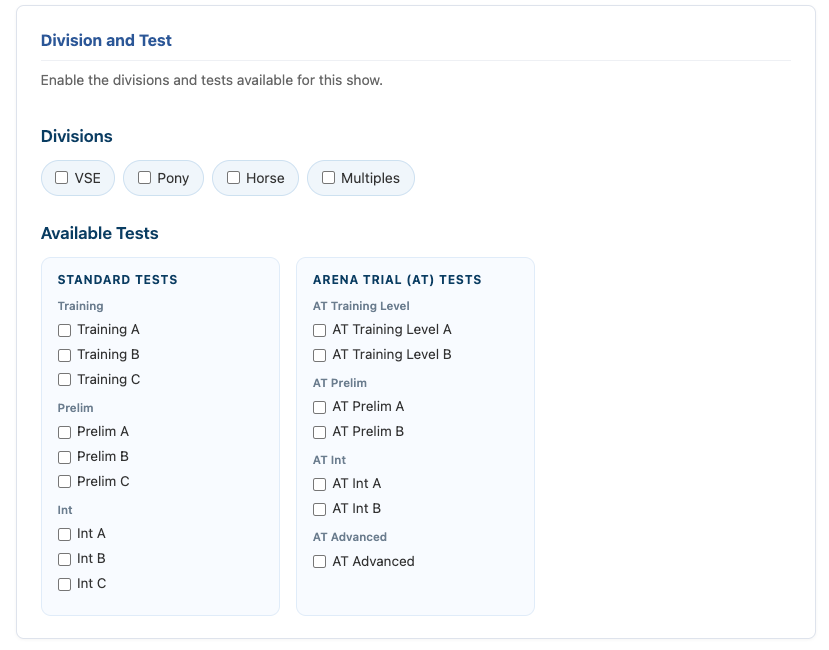
Step 3: Select Divisions & Tests
This is the key difference for driving events.
Choose Division(s)
Select one or more:
- VSE
- Pony
- Horse
- Multiples
Choose Test(s)
Select from available test groups:
- Standard Tests
- Training (A, B, C)
- Prelim (A, B, C)
- Intermediate (A, B, C)
- Arena Trial (AT) Tests
- Training Level (A, B)
- Prelim (A, B)
- Intermediate (A, B)
- Advanced
👉 Only selected tests will be available for entry
Step 4: Add Add-Ons (Optional)
Works the same as other shows:
- Stall fees
- Meals
- Grounds fees
- Other optional items
Step 5: Assign a Secretary
- Default: Show Manager is the Secretary
- Option to assign another user
- No additional cost for secretaries
Step 6: Create Your Show
Click Create Show
⚠️ Once entries go live, settings are locked for editing
What Happens Next
- Exhibitors can enter based on selected Divisions and Tests
- Scoring tools will automatically be available in the Secretary Office
- Results and final placings will be calculated based on your event type
Why This Matters
- No manual setup of tests required
- Built-in structure for driving events
- Automatic scoring and final placings