
Search
Using the Dressage FX Button (Driven Dressage)
The FX button allows you to automatically calculate a Dressage score using the correct test settings.
You can use this as:
- A time saver
- A double-check for your own math
👉 You can always override the score at any time
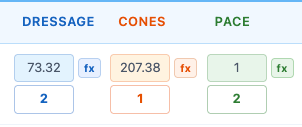
How to Use the FX Button
- Click the fx button next to the Dressage score field
Step 1: Total Points Earned
Before using the FX tool:
👉 Add up the competitor’s total points earned from the Dressage score sheet
- This is the sum of all judge scores on the test
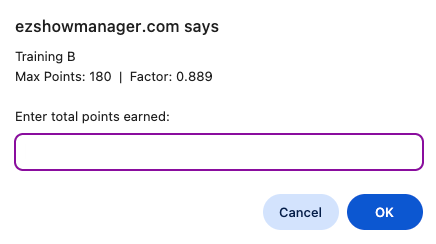
Step 2: Enter Points Earned
A window will appear showing:
- Test name
- Max Points
- Factor
👉 Enter the total points earned from your score sheet
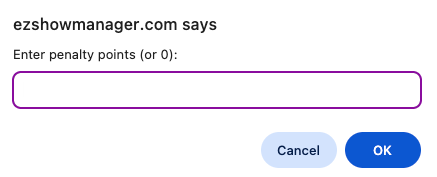
Step 3: Enter Penalty Points
Next, enter:
- Penalty points (or 0 if none)
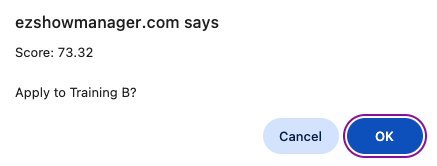
Step 4: Confirm Score
The system will calculate and display the score.
👉 Click OK to apply the score to the entry
How the Score is Calculated
The FX button uses the official Driven Dressage formula:
Dressage Score = Max Points − (Points Earned × Factor) + Penalty Points
- The result is rounded to 2 decimal places
- This matches the scoring method used on standard Dressage score sheets
What the System Uses
The calculation is based on:
- Max Points
- Factor
These values are maintained and updated by EZ Show Manager using the latest American Driving Society test standards.
Manual Override
You are always in control.
- You can edit the score at any time
- The FX calculation does not lock the field
Why Use the FX Button
- Matches official scoring sheets
- Ensures accurate calculations
- Saves time during scoring
- Reduces math errors under pressure