
How Payments & Payouts Work
EZ Show Manager is designed to make collecting and managing money simple, transparent, and flexible.
Cost to Create a Show or Clinic
👉 $0 — Included in Your Membership
- As the show organizer it cost you nothing to use EZSM. Set up as many shows or events as you like and retain 100% payout of your entree fees at closing of the show.
Setting Entry Fees
You are in full control of your pricing.
You can choose:
- Flat Fee Per Entry
- One price for the entire show, regardless of number of classes
- Price Per Class
- Price for each class the entry registers for
- Price Per Division
- Set a flat price for each division
- Entries will pay 1 price to be entered into the division and added to any classes that are listed under it.
- Additional Pricing options for Clinics, Unmounted Events and Dressage Shows
Add-On Fees
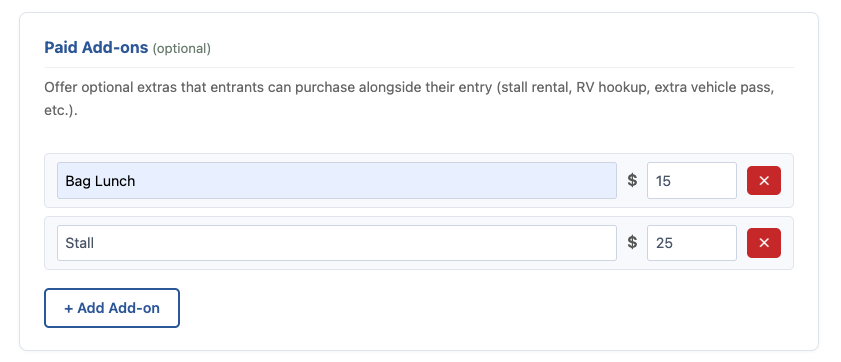
You can also create optional paid add-ons such as:
- Stall fees
- Bagged lunches
- Grounds fees
- BBQ dinners or special events
You set:
- The name
- The price
EZ Show Manager Fee
At checkout, a small EZ Show Manager fee is added to each order.
- This fee is paid by the exhibitor
- It does NOT come out of your payout
👉 This is how EZ Show Manager is able to provide the platform and services
Handling Show Day Walk-In Entries
We know not all entries happen online.
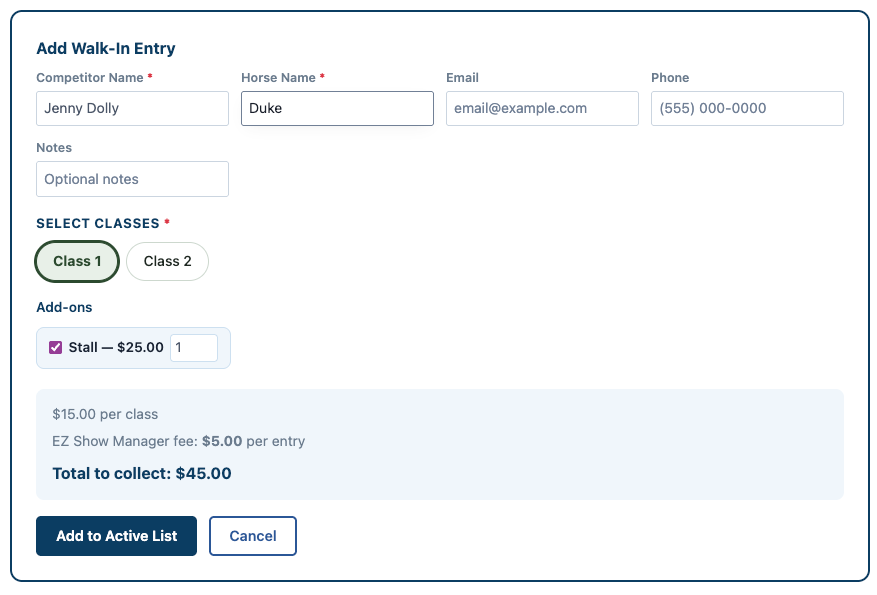
For day-of (walk-in) entries:
- The secretary can add entries directly into the system
- EZ Show Manager will calculate:
- Entry total
- Add-ons
- EZ Show Manager fee
👉 This helps you collect the correct amount for your cash box
⚠️ Note:
Walk-in EZ fees will be deducted from your final payout, since they were not collected online
Tracking Your Money
EZ Show Manager provides live calculations so you always know where you stand:
- Online entry totals
- Refunds you may have initiated
- Invoices are for if a show runs in the negative for any reason due to refunds (highly rare so don’t worry)
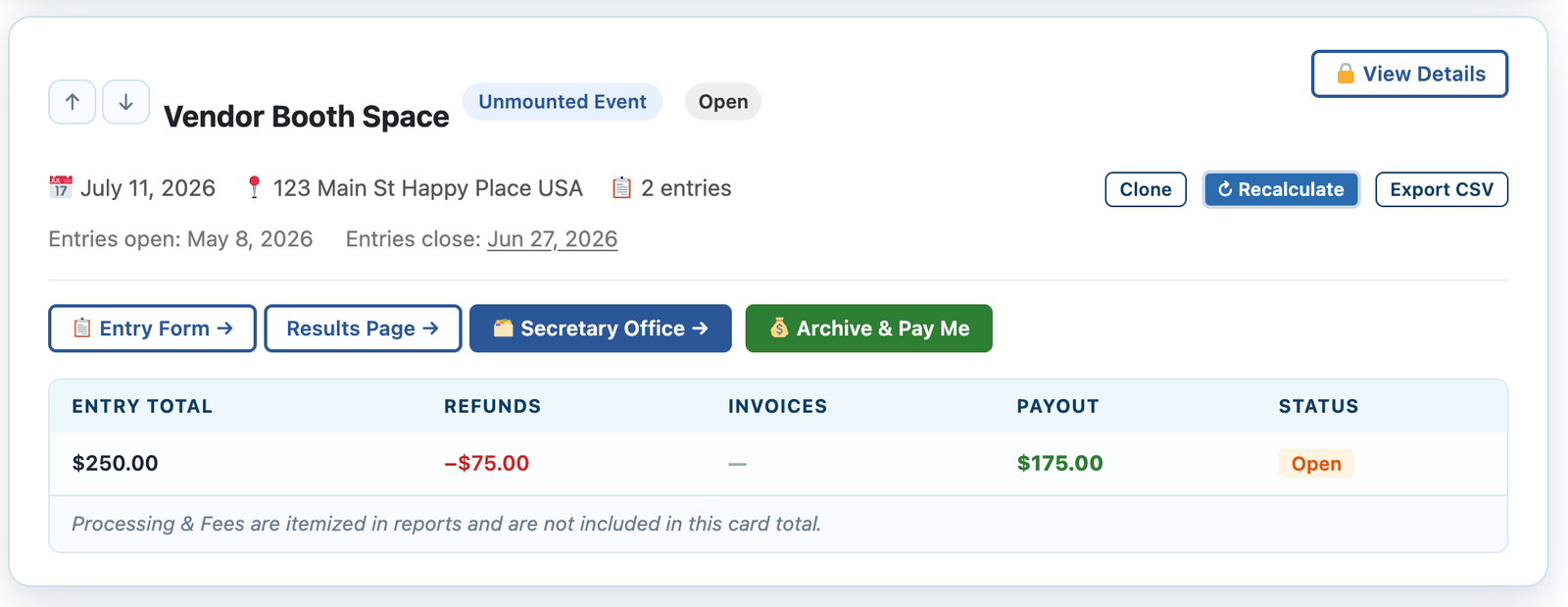
👉 You’ll always have a clear understanding of your expected payout
Initiating Your Payout
When your show is complete:
- Click “Archive and Pay Out”
- Your show will be:
- Archived
- Removed from your active dashboard
- Your payout will be initiated to your Stripe account
Tax Reporting (1099)
EZ Show Manager will issue a 1099 form if your payouts meet IRS reporting thresholds.
- Example (2026): $2,000 threshold
Important Notes
- Payout timing is handled by Stripe
- EZ Show Manager is not responsible for payment processing delays
- Always review your totals before initiating payout