
Day of Show: Running Your Event
Show day is where everything comes together — and EZ Show Manager is built to make it smooth, organized, and stress-free.
Before the First Class
Take a few minutes to get everything set up:
- ✅ Approve all entries
- ✅ Arrange your class lists
- ✅ Assign entry numbers
👉 This information is displayed publicly on the Results Page, so exhibitors know the order of go.
Post a Public Note
Use the Public Note feature to communicate with exhibitors.
Examples:
- “First class starts at 9:00 AM”
- “Mandatory safety meeting at 8:30 AM”

This message appears at the top of your Results Page for everyone to see.
Handling Walk-In Entries
Late arrivals happen — no problem.
Use the + Walk-In Entry button to:
- Add entries directly into classes
- Automatically calculate fees
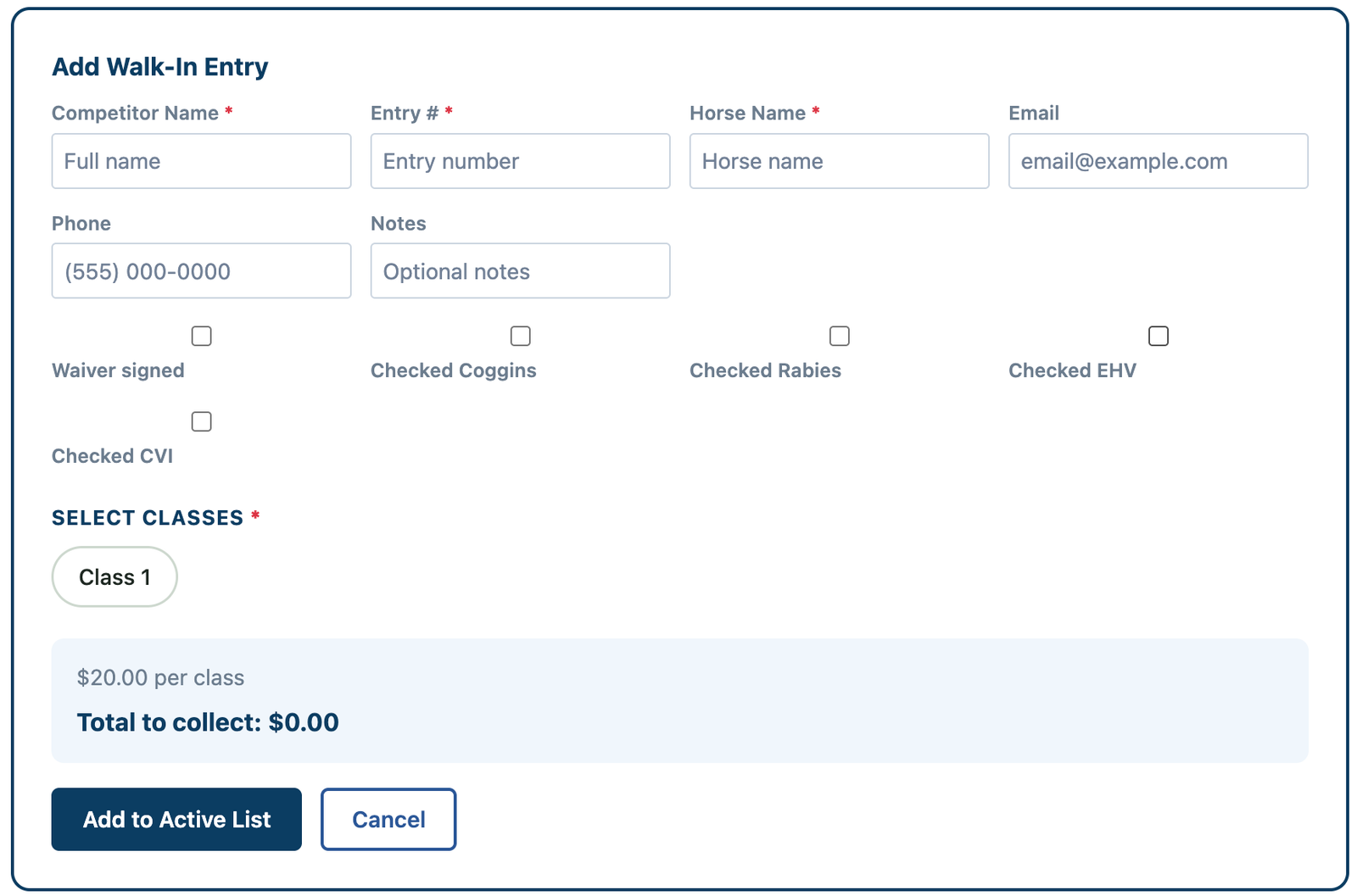
⚠️ Be sure to check the Amount to Collect
This ensures your cash box total matches at the end of the day.
Quick Access to Entry Details
Need to check something quickly?
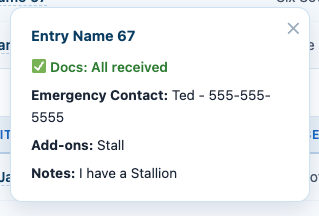
Click on any entry name to view:
- Classes entered
- Add-ons (stalls, lunches, etc.)
- Notes
- Emergency contact information
👉 No more flipping through paperwork
During the Show
As classes run:
- Enter placings as judges pin results
- Results update automatically on the Results Page
👉 Exhibitors can follow along live — no waiting around the secretary stand
Less Stress, Fewer Problems
No more worrying about:
- Printers not working
- Paper results getting lost
- Generators running out of power
Everything is handled digitally and updated in real time.
You’ve Got This
Focus on running a great show — EZ Show Manager handles the rest.