
Results Page Overview
The Results Page is your public-facing event page where exhibitors can view schedules and results in real time.
This page is automatically generated for every show or clinic you create.
Branding & Layout
Your Results Page is fully branded to you.
At the top of the page, exhibitors will see:
- Your selected background (padding) color
- Your Logo
- Your Organization / Farm Name
This ensures every show looks professional and consistent with your brand.
Show Header
Directly below your branding:
- Show Name (bold)
- Show details (date, location, etc.)
You will also see one of the following based on your show type:
- Show Results (for Basic shows)
- Clinic Schedule (for Clinics)
Results & Schedule Display
The layout is a simplified, public-friendly version of the Secretary Office.
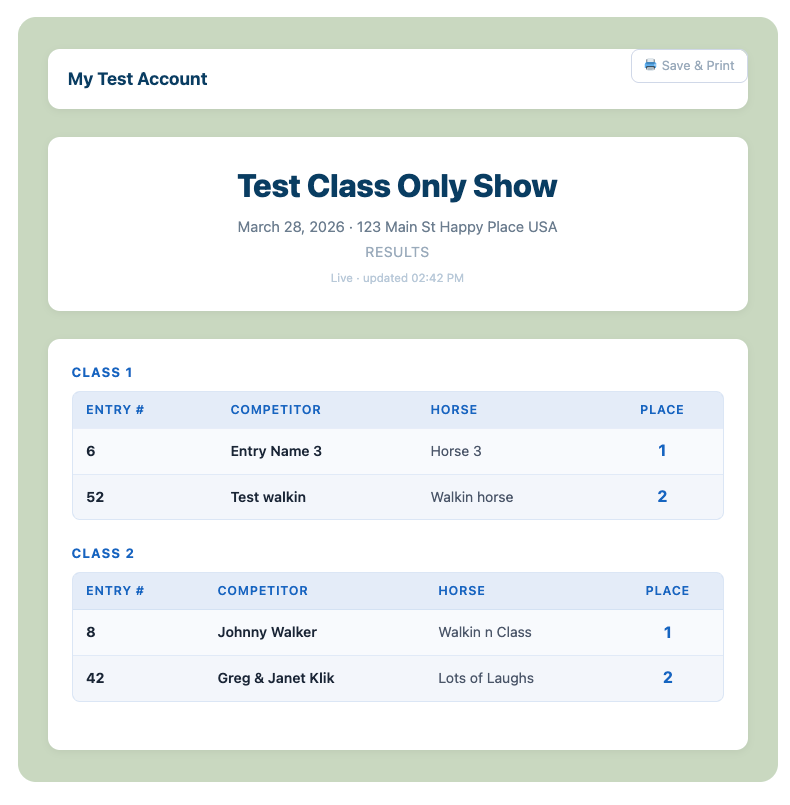
For Shows
Each class will display:
- Entry Number
- Competitor Name
- Horse Name
- Placing
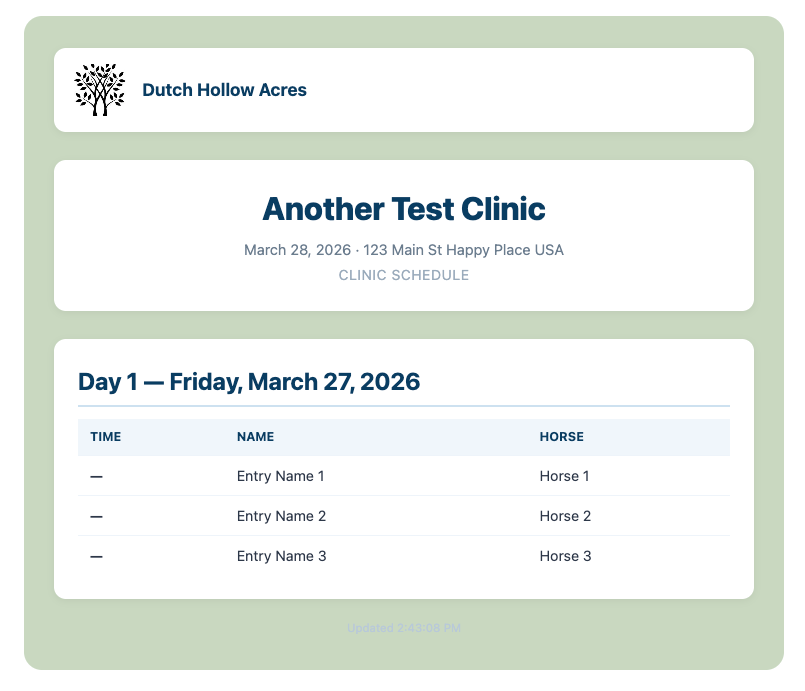
For Clinics
Each entry will display:
- Ride Time
- Rider Name
- Horse Name
Live Updates
The Results Page updates automatically as the secretary enters data.
👉 Updates occur approximately every 30 seconds
This allows exhibitors to:
- Follow results live
- Check placings without leaving the ring area
- Stay informed without crowding the secretary stand
Simple & Easy to Read
The Results Page is designed to be:
- Clean
- Easy to scan
- Mobile-friendly
It removes the complexity of the Secretary view and shows only what exhibitors need.
Print & Save Options
Need a physical copy?
The Results Page includes options to:
- Save results
- Print results
Why This Matters
- Reduces congestion at the secretary stand
- Improves exhibitor experience
- Provides instant, professional results